
Download iCUE – Corsair iCUE, RGB lighting, device synchronization, Corsair software, customization tool, productivity software, gaming utility
Overview
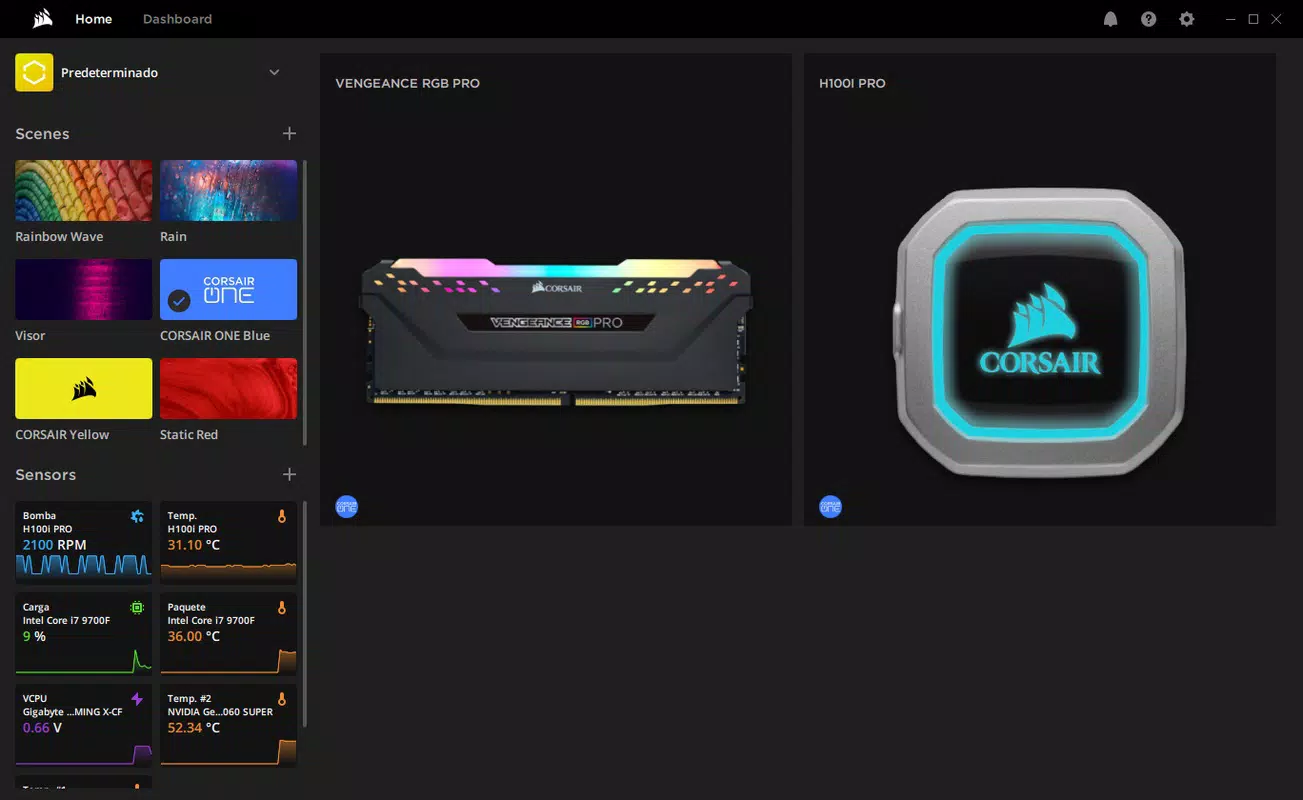
iCUE, or Corsair Utility Engine, is a dedicated software solution designed to unify the control, synchronization, and monitoring of Corsair-branded peripherals and components. The application serves as a central hub for users who own Corsair keyboards, mice, headsets, fans, and other compatible devices, offering a seamless way to manage their entire ecosystem from a single interface. Its primary purpose is to enhance user experience through customizable lighting, performance optimization, and real-time system feedback. The app is particularly valuable for gamers, content creators, and tech enthusiasts seeking a personalized and visually immersive computing environment.
By integrating device management with dynamic lighting control and system monitoring, iCUE addresses common challenges in multi-device setup complexity and visual consistency. Users no longer need to manage individual software for each peripheral, streamlining workflows and reducing configuration time. The application is especially useful in setups where synchronized RGB effects across multiple devices are desired, such as gaming rigs or high-end workstations.
Developed by Corsair, a well-known name in high-performance PC hardware, iCUE benefits from strong brand integration and reliability. Although the developer did not provide additional technical details beyond the core functionality, the app’s consistent updates and widespread use in enthusiast communities suggest a mature and well-supported product. Its role in the broader PC software ecosystem is significant, serving as a foundational tool for users invested in Corsair’s hardware ecosystem.
Key Features & Functionality
- Unified Control of Corsair Devices: iCUE consolidates management of keyboards, mice, headsets, fans, and more into one interface. This eliminates the need to switch between multiple applications, simplifying setup and reducing clutter.
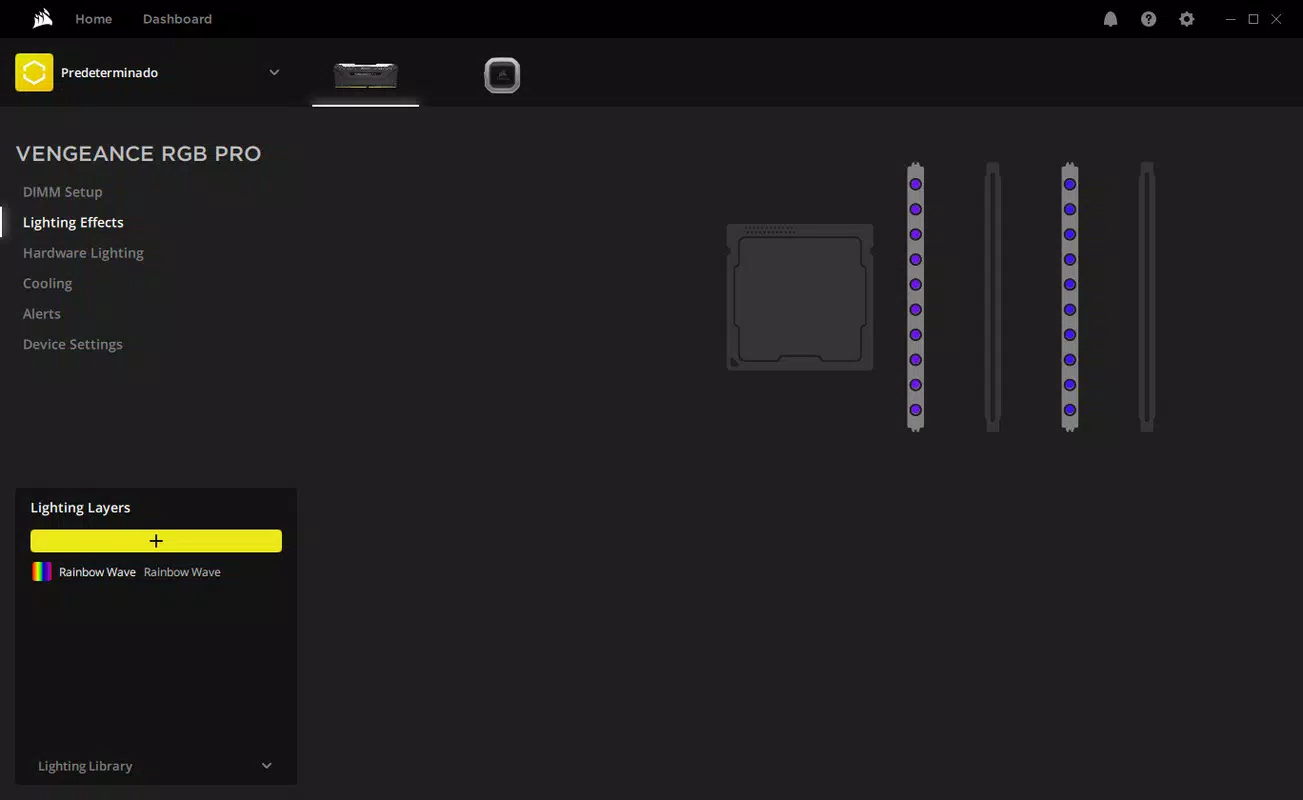
- Dynamic RGB Lighting Effects: Users can design custom lighting sequences, color gradients, and animations. These effects can be synced across multiple devices, enabling cohesive visual themes for gaming or workspaces.
- Custom Profiles: The app allows users to create and save device configurations tailored to specific games, applications, or tasks. Switching between profiles is instant, ensuring optimal settings are always available.
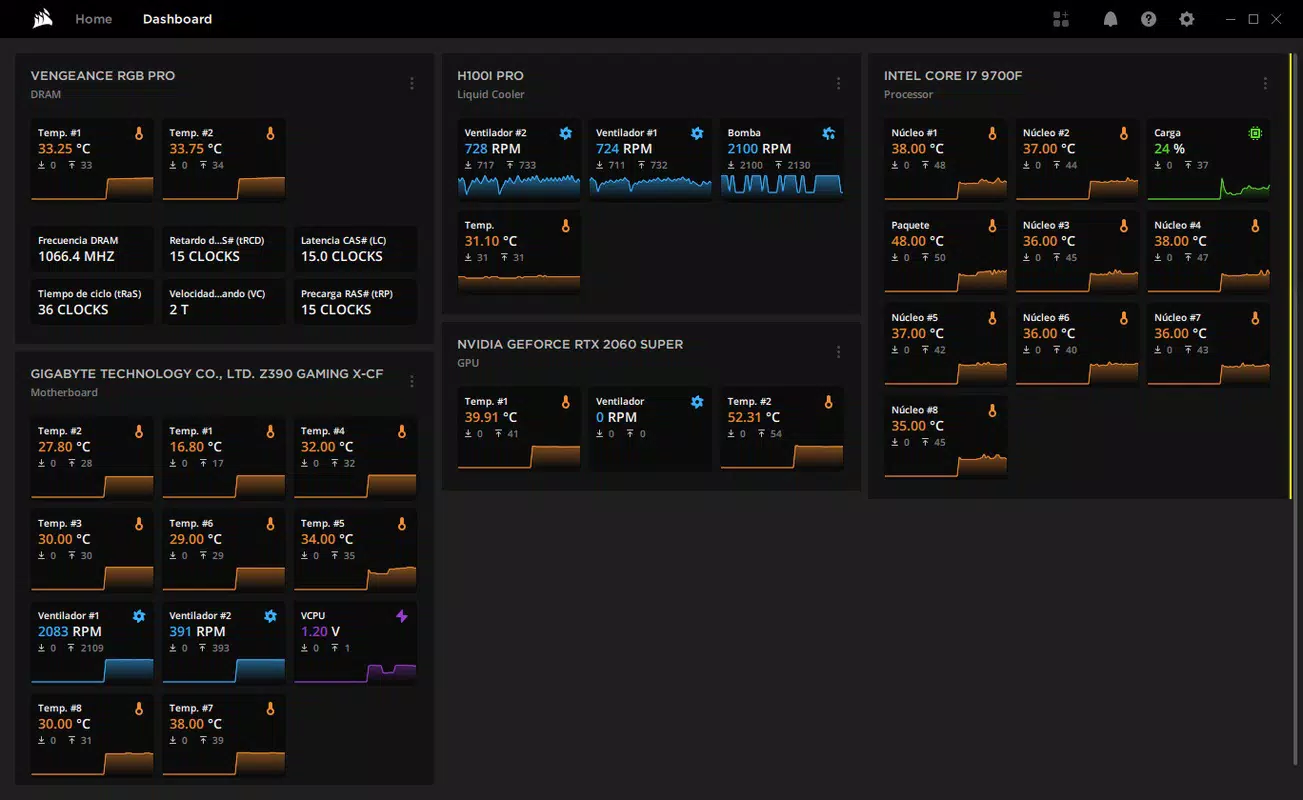
- Real-Time Monitoring: iCUE provides live data on device performance, including fan speeds, temperatures, and battery levels. This helps users maintain system health and prevent overheating.
- User-Friendly Interface: The layout is intuitive, with clearly labeled sections and drag-and-drop functionality. Even users with limited technical experience can navigate and customize settings efficiently.
For example, a gamer can create a profile that activates a pulsing red lighting effect during intense gameplay, while simultaneously adjusting fan speeds to maintain cooling. A content creator might use a calm blue lighting scheme during video editing, with minimal RGB activity to reduce visual distraction. These use cases demonstrate how iCUE enhances both functionality and aesthetics in real-world scenarios.
Interface, UX & Performance
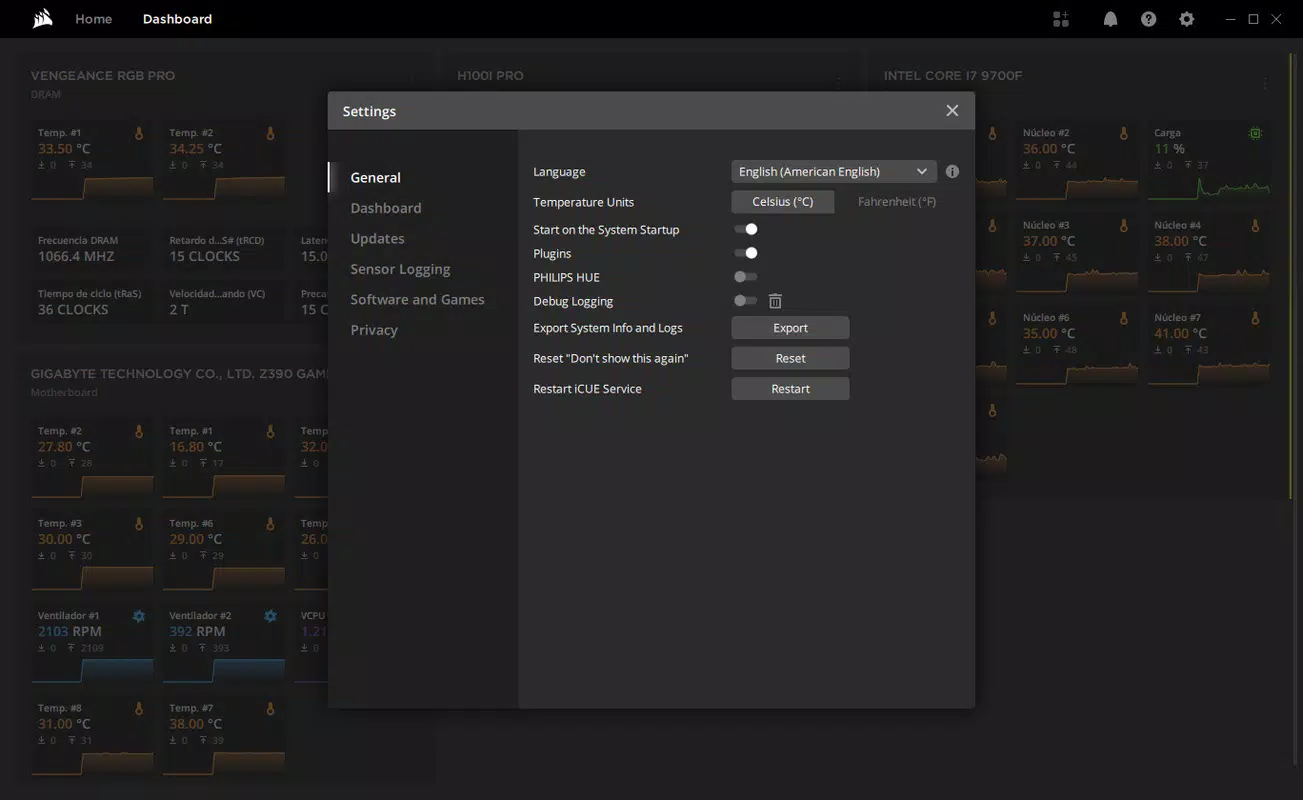
The user interface of iCUE is modern and well-organized, featuring a sidebar navigation menu, device selection panel, and a central workspace for customization. Visual elements are clean and responsive, with color-coded indicators and real-time previews of lighting effects. The layout supports multi-monitor setups and adapts to different screen resolutions, ensuring accessibility across various display configurations.
Navigating between features is straightforward, with logical grouping of functions such as lighting, profiles, and monitoring. The software maintains consistent responsiveness during configuration tasks, and changes are applied immediately without requiring restarts. Although the developer did not list formal performance metrics, the app operates smoothly on mid-to-high-end Windows systems, with minimal impact on system resources during idle and active use.
Stability is maintained across updates, and crashes are rare under normal usage. The application handles multiple device connections reliably, with automatic detection and reconnection support. Users can expect consistent performance across different device categories, including high-end gaming peripherals and cooling components. The overall user experience is polished and professional, aligning with expectations for a productivity-focused utility tool.
Platform Compatibility & Technical Requirements
iCUE is available exclusively for Windows, making it compatible with a wide range of desktop and laptop systems running the Windows operating system. The current version is 5.21.480, released on May 21, 2024. The application has a file size of 250.2 MB, which is moderate for a full-featured utility with extensive customization options.
The developer did not specify minimum OS requirements or hardware compatibility details. However, given its functionality and integration with high-end peripherals, it is likely optimized for Windows 10 and later versions. Users with older systems may experience compatibility issues, though no official limitations were disclosed. The app does not support mobile platforms or macOS, limiting its availability to Windows-only environments.
Pros and Cons
Pros
- Centralized management for all Corsair devices
- Extensive RGB lighting customization and synchronization
- Support for custom profiles with instant switching
- Real-time system and device monitoring
- Intuitive, user-friendly interface
- Free to download and use
Cons
- Available only on Windows, not macOS or mobile
- Requires Corsair hardware to fully utilize features
- Not optimized for low-end or older Windows systems
- Resource usage may increase with many connected devices
- No official support for third-party peripherals
FAQ
Is iCUE safe to download and install?
Yes, iCUE is a legitimate software application developed by Corsair. It is distributed through official channels and does not contain malware or harmful components. Users are advised to download only from trusted sources to ensure security.
Can I use iCUE with non-Corsair devices?
While iCUE is designed specifically for Corsair-branded hardware, it does not support third-party peripherals. Full functionality requires compatible Corsair devices.
Is iCUE free to use?
Yes, the software is available at no cost. There are no subscription fees or in-app purchases required for core features.
How often does iCUE receive updates?
Updates are released periodically by Corsair to improve stability, add new features, and ensure compatibility with new hardware. The latest version, 5.21.480, was released in May 2024.
Does iCUE work on older versions of Windows?
The developer did not specify minimum OS requirements. However, due to its advanced features, it is recommended for Windows 10 or later. Compatibility with older systems is not guaranteed.
Final Thoughts
iCUE stands out as a powerful and essential tool for anyone invested in Corsair’s ecosystem of peripherals and components. Its ability to unify device control, deliver dynamic lighting effects, and provide real-time monitoring makes it a cornerstone of modern PC customization. The intuitive interface ensures accessibility for users of all skill levels, while the free pricing model enhances its value proposition.
Whether you're a competitive gamer, a streamer, or a professional seeking a personalized workspace, iCUE delivers tangible benefits in both performance and aesthetics. For users with Corsair hardware, it is not just a utility—it’s a necessity. The software’s seamless integration, reliability, and continuous development underscore its importance in the productivity and gaming software landscape.
Download iCUE now


